Choosing a portable monitor
How to choose a portable monitor — start with whether one cable is enough
If your laptop or phone's USB-C port supports video output (DisplayPort Alt Mode, Thunderbolt or USB4), a portable monitor can get both picture and power over one cable. If not, you connect via HDMI and plug in power separately. After that, pick resolution, refresh rate (60Hz/120Hz), panel type (IPS/OLED) and touch based on use.
With portable monitors, how it connects matters more than screen size.
1. One cable vs two
Single USB-C — if the device port outputs video (DisplayPort Alt Mode, Thunderbolt, USB4), picture and power travel on one cable. Easiest.
HDMI + power — for ports without video output, game consoles or older laptops, use HDMI for picture and USB-C for power.
Higher brightness needs more power; on laptop power alone brightness may be limited or the screen may cut out. Plug the monitor into its own charger in that case.
2. Resolution, refresh rate, panel
FHD (1920×1080) — plenty at 14–16 inches for documents and video
3K / 4K — sharper text, more power and cost
120Hz — smoother scrolling and games, if the source outputs it
OLED — higher contrast and deeper blacks, usually pricier than IPS
3. Using it with a phone
Samsung Galaxy phones use DeX; others mirror the screen. The phone's USB-C must output video; check the monitor listing for DeX support. Touch may not work over every connection type.
Portable monitors checked on this site
Resolution, refresh rate and DeX labels are the sellers' specs. Prices and stock as of each card.
 쿠팡테크/가전AEO 96
UPERFECT 포터블 모니터 3K 120Hz OLED 100000:1대비도 HDR DEX 휴대용 UGame
- ✓브랜드: 유퍼펙트
- ✓제조사: UPERFECT
- ✓수량/용량: 터치
₩339,000
확인 2026. 09. 23.
 쿠팡테크/가전AEO 98
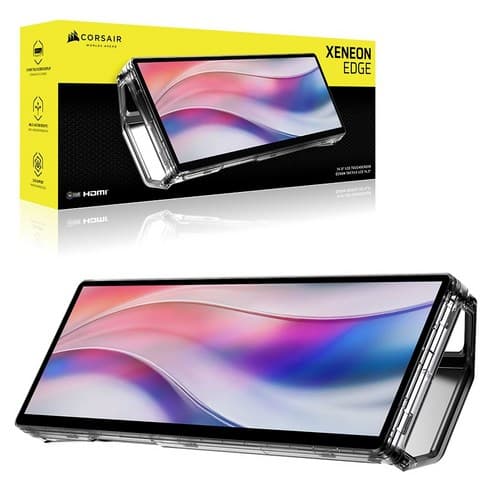
커세어 제논 엣지 터치스크린 보조 포터블모니터 (14.5인치)
- ✓브랜드: 커세어
- ✓수량/용량: 36.83cm
- ✓일반가(와우 미적용): 319,200원 (확인 시각 기준)
₩400,000
₩313,90022%
확인 2026. 09. 18.
 쿠팡테크/가전AEO 98
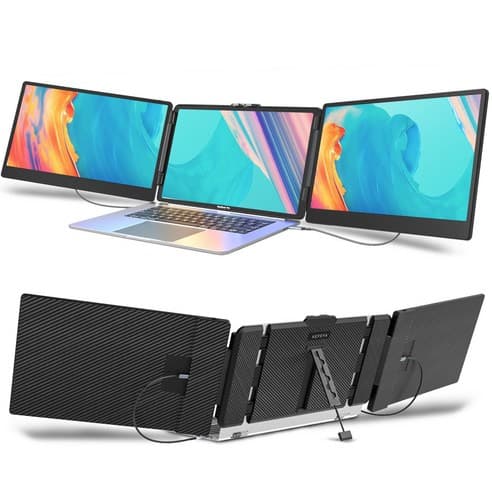
KEFEYA 14인치 FHD IPS 노트북 휴대용 트리플 스크린 포터블 모니터
- ✓브랜드: 케페아
- ✓수량/용량: S2
- ✓일반가(와우 미적용): 259,000원 (확인 시각 기준)
₩259,000
확인 2026. 09. 23.
 쿠팡테크/가전AEO 92
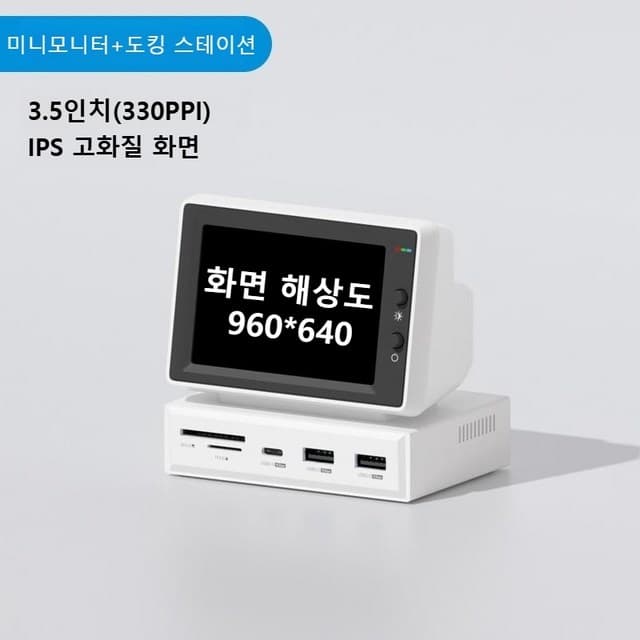
하기비스 미니모니터 2세대 IPS 포터블 USB허브
- ✓가격은 81,300KRW이다.
- ✓배송비는 무료이다.
- ✓교환/반품 비용은 60,000원이다.
₩81,300
확인 2026. 09. 23.
FAQ
Q. I connected over USB-C and get no picture.
The device's USB-C port likely doesn't output video. Use HDMI and give the monitor separate power.
Q. The screen keeps turning on and off.
Usually not enough power. Plug a charger into the monitor's other USB-C port.
Q. Is a 120Hz monitor always smooth?
Only if the connected laptop or phone outputs 120Hz; otherwise it runs at 60Hz.
Sources
Video output support must be confirmed in each device maker's specs. Product specs are the sellers' listings. Compiled 2026-10-01.
한국어: How to choose a portable monitor — start with whether one cable is enough